
If you use an iPad for note-taking, drawing, studying, designing, or everyday productivity, an Apple Pencil can make your iPad much more useful. With precise input, low latency, pressure sensitivity on supported models, and a natural writing experience, Apple Pencil models are designed to feel much closer to using a real pencil or pen.
But with different Apple Pencil models available, choosing the right one can be confusing. In this guide, we’ll explain the main features, benefits, compatibility, and things you should consider before buying an Apple Pencil.
Disclosure: This article contains affiliate links. As an Amazon Associate, we may earn commissions from qualifying purchases at no extra cost to you.
What Is an Apple Pencil?
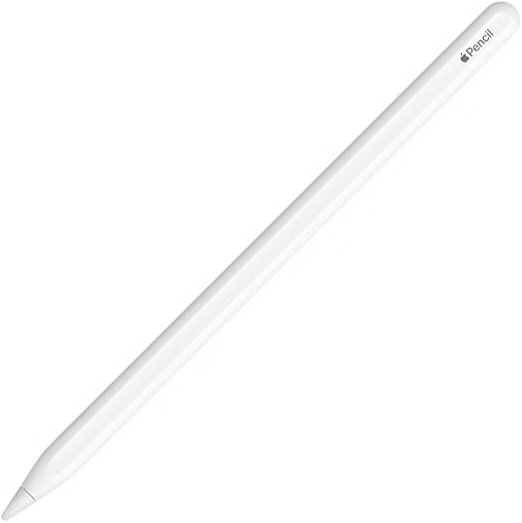
Apple Pencil is a digital stylus designed specifically for compatible iPad models. It allows users to write, draw, sketch, mark documents, edit photos, and interact with apps more precisely than they can with their fingers.
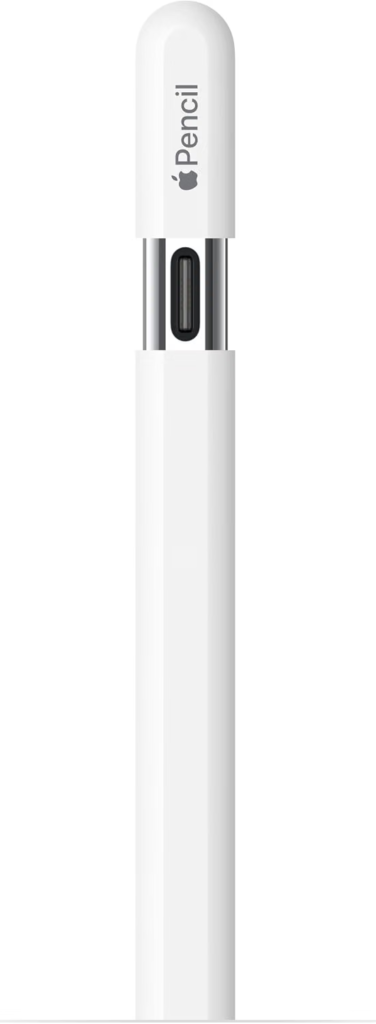
For students, artists, designers, professionals, and anyone who frequently takes handwritten notes, an Apple Pencil can be a useful iPad accessory.
Apple offers different versions, including Apple Pencil Pro, Apple Pencil (2nd generation), Apple Pencil (USB-C), and Apple Pencil (1st generation). Each model has different features and iPad compatibility.
Why Should You Buy an Apple Pencil?
1. Precise Writing and Drawing
One of the biggest advantages of Apple Pencil is its precision. The fine tip allows you to write small notes, draw detailed illustrations, and make accurate selections on your iPad.
Whether you’re taking class notes or creating digital artwork, the Apple Pencil provides significantly more control than using your finger.
2. Great for Students
Students can use Apple Pencil to take handwritten notes, highlight PDFs, annotate presentations, solve math problems, and organize study materials.
Apps such as Apple Notes and other note-taking applications can turn an iPad into a convenient digital notebook.
3. Useful for Artists and Designers
Digital artists can benefit from Apple Pencil’s accurate tracking and pressure-sensitive features on supported models. These features allow artists to create different line weights and shading effects while drawing.
It’s also useful for graphic designers who need precise control when working with illustrations and design applications.
4. Comfortable for Everyday Productivity
Apple Pencil isn’t only for artists. You can use it to sign documents, mark up screenshots, edit PDFs, select objects, and navigate certain applications.
The ability to quickly switch between writing and other iPad functions makes it a practical productivity accessory.
Apple Pencil Models Compared
Choosing the right Apple Pencil depends heavily on your iPad model and the features you need.
Apple Pencil Pro
The Apple Pencil Pro is Apple’s most advanced stylus option. It includes additional features designed for compatible newer iPad models, making it particularly attractive to artists, designers, and professionals.
It offers advanced controls and a premium experience, but it is also more expensive than the entry-level options.
Apple Pencil (2nd Generation)
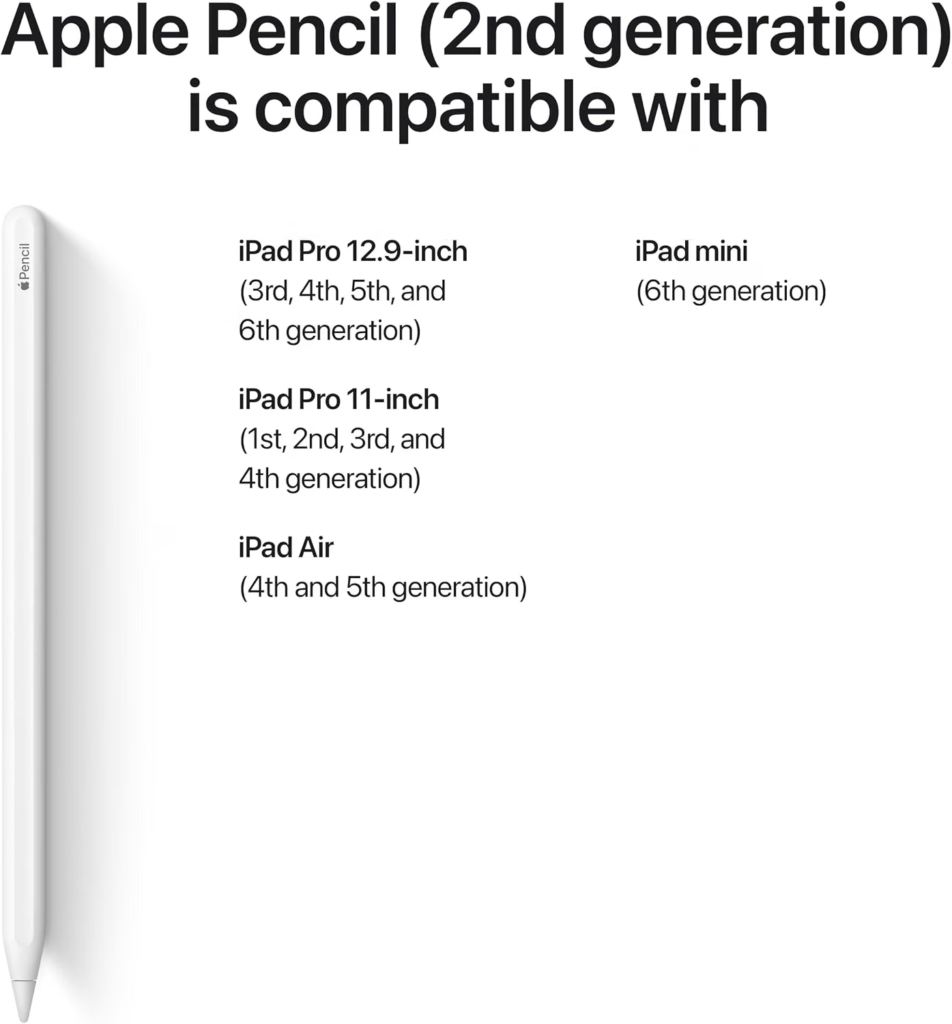
The second-generation Apple Pencil offers features such as magnetic attachment and wireless pairing and charging on compatible iPad models.
It has been a popular choice for iPad users who want a premium stylus without necessarily needing the newest Apple Pencil Pro features.
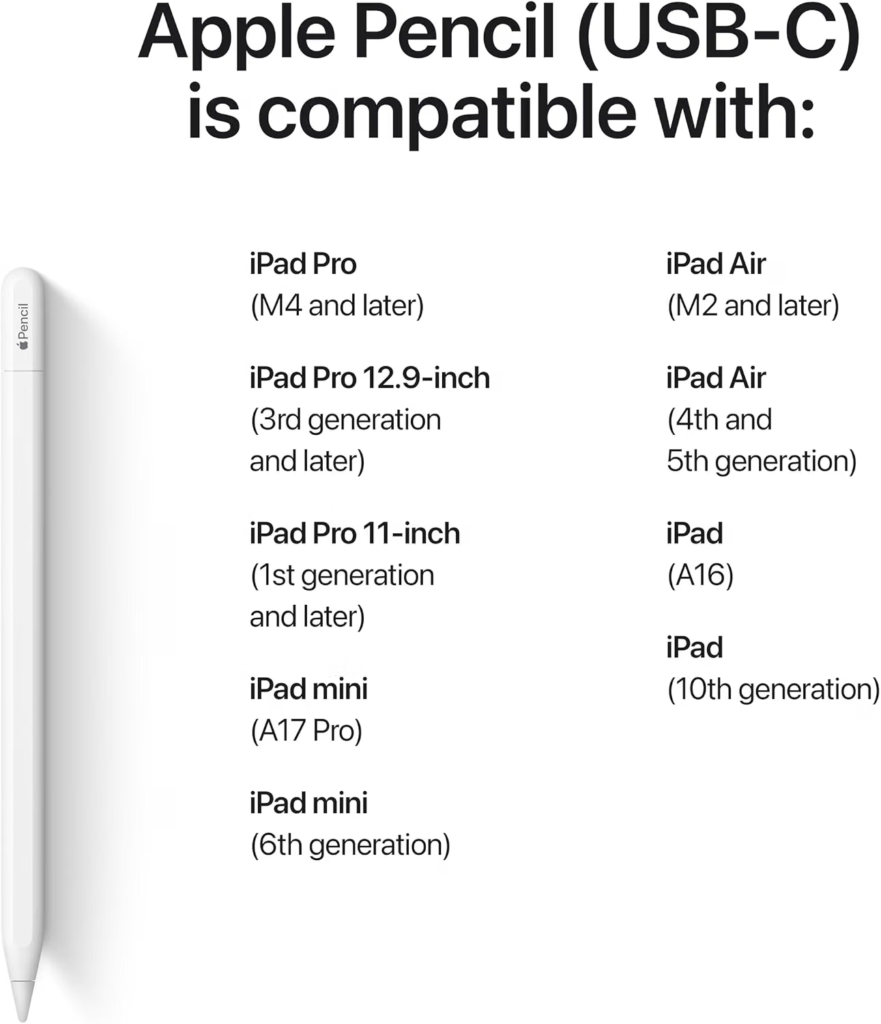
Apple Pencil (USB-C)
The Apple Pencil (USB-C) is designed as a more affordable option. It connects and charges through USB-C and provides many of the essential features users expect from an Apple Pencil.
It’s a good choice for people who mainly want to write, annotate documents, or take notes without paying for the more advanced features of Apple’s premium models.
Apple Pencil (1st Generation)
The first-generation Apple Pencil remains compatible with certain older iPad models. It supports precise writing and drawing, but its charging and pairing design is older than the newer models.
If you own an older compatible iPad, this may still be a practical option.
Apple Pencil Compatibility
Before purchasing an Apple Pencil, always check compatibility with your exact iPad model.
Not every Apple Pencil works with every iPad. Compatibility depends on the specific iPad generation and model, so choosing based only on the appearance or name of your iPad can lead to buying the wrong stylus.
Check your iPad’s model information and compare it with Apple’s current compatibility information before placing an order.
Key Features to Look For
When choosing an Apple Pencil, consider the following features:
- Pressure sensitivity: Important for artists and detailed drawing.
- Low latency: Helps writing and drawing feel more natural.
- Magnetic attachment: Available on supported models for convenient storage and charging.
- Wireless charging: Available with certain Apple Pencil and iPad combinations.
- USB-C charging: Convenient if your iPad and other devices use USB-C.
- Hover support: Available on supported combinations and useful for precise creative work.
- Double-tap or advanced controls: Available on certain models for quickly switching tools or functions.
Your ideal model depends on how you plan to use the stylus.
Is Apple Pencil Worth It?
For many iPad users, Apple Pencil is worth buying because it adds functionality that a standard touchscreen cannot provide as easily.
If you primarily use your iPad for watching videos and browsing the web, you may not need one. However, if you take handwritten notes, draw, edit documents, study, design, or work with creative applications, an Apple Pencil can be a valuable upgrade.
The most important thing is to choose a model that is compatible with your iPad and provides the features you actually need.
Pros and Cons of Apple Pencil
Pros
- Excellent precision
- Natural writing experience
- Great for digital artists
- Useful for students and professionals
- Works with many iPad productivity and creative apps
- Easy to carry with an iPad
Cons
- Some models are relatively expensive
- Compatibility varies between iPad models
- Advanced features aren’t available on every iPad
- Accessories or replacement tips may add to the overall cost
How to Choose the Best Apple Pencil
The best Apple Pencil isn’t necessarily the most expensive one. Start by checking your iPad’s exact model and compatibility.
Next, think about how you’ll use it. If you’re an artist who needs advanced controls, a premium model may be worthwhile. If you’re mainly taking notes or annotating PDFs, a more affordable model may provide everything you need.
Also consider charging. Some users prefer magnetic wireless charging, while others are perfectly comfortable using a USB-C connection.
Final Verdict
The Apple Pencil is one of the most useful accessories for compatible iPads. Its precision and responsive writing experience make it suitable for students, artists, designers, professionals, and everyday iPad users.
Before buying, make sure you check Apple Pencil compatibility with your iPad and compare the features of the available models. For basic note-taking and annotation, an affordable option may be enough, while creative professionals may benefit from a more advanced model.
If you already use your iPad for writing, studying, drawing, or productivity, adding the right Apple Pencil can make your overall experience much more convenient and versatile.